Don’t Bury the Link Under All That “Snow Fall”

Screen Shot 2013-05-23 at 1.09.30 PM“Snow Fall” is a dead-end.

The New York Timesonline feature about a deadly avalanche broke new ground in using images, video, geo-data and interactive elements to help tell a story. It quickly drew in 3.5 million readers, according to Romenesko; was influential enough to turn “Snow Fall” into a verb; and launched a thousand debates on what it meant for the future of journalism.

But yet the story remains a dead-end.

Not for online storytelling. Some publications have been working on similar things independently, and many that weren’t are quickly learning to add many of the tricks to their storytelling reportoire.

It’s a dead-end for a simpler reason.

The 15,000 word epic has zero links. No links to other Times stories. No links to anything outside of the New York Times.

The story has a number of quasi-links. For instance, clicking someone’s name brings up a photo-gallery that plays in a overlay.  But none of these are standard links; they are odd bits of CSS and Javascript that point to other elements inside the story.

If you are thinking about this piece as part of the Web or the internet, the success of the story means there are a huge number of inbound links to the story – whether that’s from blogs, Facebook or Twitter.

But “Snow Fall” is a terminal node. It doesn’t point to anything else.

(Please let me make it clear that I applaud the work the Times put into this story and presentation. I love how much the story presentation added to the narrative and respected the story and the reader. I offer this critique in order to help the Times improve and that other publishers don’t draw the wrong lessons from “Snow Fall”.)

“Snow Fall” isn’t the only New York Times story that lacks links. The recent controversial piece on becoming a Brooklyn hipster — that too had not a single link. The Times is actually quite bad at linking generally, though they’ve done some nice things recently augmenting news stories with a sidebar of related content.

The lack of links is also common with magazines, which have the habit of putting their print pieces on the web with some thought to design, but none to adding links.

Unfortunately, many of the post-”Snow Fall” imitation pieces seem to be falling into this kind of magazine thinking and follow the no-link model.

Pitchfork’s feature on Daft Punk? No links. The story talks about the band’s previous work, their collaborators, other albums and artists. But not one of those gets a link. Readers get no way to explore these influences or even read a Pitchfork review of an earlier Daft Punk album.

The Colorado Springs Gazette has an awesome 3-part feature on how the military is finding ways to discharge wounded soldiers, stripping them of healthcare benefits. Great reporting, graphics, and videos. Again not a single link.

To be fair, other “Snow Fall”-influenced pieces do include some links:

The Washington Post‘s story on cyclist Joe Dombrowski breaking out in the post-Armstrong cycling world starts out strongly with two links in the third paragraph, but links taper off, and things that are simple and useful to link – like a mention of Armstrong-teammate Taylor Hamilton’s tell-all book never get linked.

The Verge’s excellent report on the life and death of America’s video arcades did better – clocking in about 9 links, (including one odd one to Senator Chuck Grassley’s Twitter account), but given how deeply it was diving into arcana, the linking leaned towards the thin side.

But, I’m concerned that publishers seem to be thinking that marquee stories are too good to be sullied by links.

That’s really unfortunate. There’s lots of reasons that one should link, and links serve a number of purposes (something I’ll be writing more about later).

But let’s start with the largest one: links are what distinguish online publishing from what came before. Links are the threads of the Web.

Fancy interactive displays for digital text? That existed long before the Web and after with DVD-ROMs.

Though few think about what HTTP means, it means Hypertext Transfer Protocol, or in less techy speech, the method by which a document that has links to and from other documents is sent to your computer.

Links are living context. Links provide resources to readers. Links let readers fact-check you easily. Links join your story to the wider world of stories that your publication and others are telling.

Links tell readers that you know that your story, your post, exists in relation to the wider world, and that you know your current story is part of a larger cultural effort and often part of a larger story thread a publication has been spinning for years.

(Shameless plug here: Contextly makes it dead simple for writers to add links to the body of stories, into sidebars and into the related section at the end of articles. You can visit our homepage to learn more about our content recommendation service or drop us a note at info@contextly.com.)

So, yes, publishers should spend the time to think about how you can tell better stories with innovative HTML5 elements and cool JavaScript tricks.

But don’t let that blind you to the fact that you are already publishing in a golden age for writing and reading, a hypertext world where an astonishing rich web of stories, facts, opinions, research and GIFS are just clicks away.

In fact, it’s that very net of links that’s going to let readers find your “Snow Fall”-esque masterpiece, both the moment you publish it and for years afterwards.

Don’t discard links to construct self-contained monuments. Instead, make gorgeous portals.

Publishers Should Totally Check Out Google’s Content Recommendation Service

google-recommendationsOn Monday, Google debuted a content suggestion module for news sites that gives readers more stuff to read – adding Google to the list of companies playing in the valuable space at the end of a news or blog post.

And I have to say – after an initial burst of fear – that I quite like what Google’s doing and it’s actually very clever. It starts with mobile, an ever-growing category of news reading, and it’s complementary, not directly competitive, with the companies, CMS modules and home-grown solutions out there.

Google’s suggestions show up on mobile devices only. When a reader gets to a certain part of the page, or scrolls back upwards after getting toward the end of an article, Google inserts a touchable bar at the bottom of the browser window.

It’s tied into Google+ (naturally) and reader can choose to click on the bar to get an overlay of stories from the same publication — ranked according other stories popularity, authorship and some other factors, including what’s popular from that site among a reader’s Google+ circles, if the reader is logged-in.

You can see it in action on stories on Forbes. Read the article (or scroll down as if you did) and then scroll back up slightly.

Here’s why that’s a clever approach:

  1. It doesn’t override whatever system publishers are using now, so there’s no switching cost or decision about whether to replace what a publisher is currently doing. It just takes a line of JavaScript to the mobile template to add *even* more recommendations.
  2. It’s mobile only, which makes it much easier for Google to make a near-universal layout. Mobile versions of websites nearly all have a story channel as wide as the device. That’s not the case on larger screens, where the section of the site devoted to the story can vary hugely, even within the same publication. That variance makes for very difficult — and very site-specific — displays by third-party content recommendation services like Contextly.
  3. This is a guess, but I’d assume that a very large percentage of Android users are signed into Google+ on their mobiles, so getting info to personalize is easy, without the need for cookies.
  4. If your goal is to build up Google+, adding another hook, or even just a simple reminder of it’s existence, getting a presence on the net’s most popular publishers sites is a solid win.
  5. The design respects the stream. The recommendations don’t get in the way of the reading experience. They show up as an option when readers have finished a story and their attention is freed. Compare that to the aggressive and annoying fly-outs that swing out from the bottom right corner of the page when you are only 3/4s through an article or all the junk publishers throw in the periphery of a story that’s supposed to be captivating readers.
  6. The suggestion module gives publisher’s more incentive to add stories to their Google+ page.

But there are drawbacks to the simplistic approach:

  1. While mobile readership is growing, the majority of pageviews still occur on devices larger than mobile. Google’s recommendations won’t show up on those bigger screens, at least for a while. And when Google does want to move in there, it’ll find lots of competition and design complexities.
  2. Google offers no tools to publishers to have control over the content of these links. In keeping with the modern Google, the system is torally algorithm-driven. The only controls, at least at debut, are a simple system to say what pages *not* to show recommendations on; and what things not to show as recommendations.
  3. It’s not clear that readers will want to have to click a bar to see recommendations, especially given that mobile sites have existing recommendations. Even a single click can be a big barrier.

I’m pretty excited to see Google playing down here in the well at the end of articles. It’s clear proof for those who haven’t noticed yet that this spot is incredibly powerful.

And I’m impressed by the thoughtfulness of how Google is entering this crowded market. Publishers ought to experiment with Google’s offering as there’s little downside to giving readers another way to explore a publication’s breadth, especially since they don’t have to  throw off what they are currently doing.

In short, I like it. A lot. I say that even though it’s clearly the first salvo of a competitive threat from the net’s biggest and smartest company.

Google is thinking mobile first–for better or worse.

I’d be happy to have sites use both Contextly and Google’s recommendation systems. Google is zagging, and, while I’m pretty sure I can see what comes next in their product iteration, it’s still fun to see a new approach.

Contextly is zagging as well, but in different directions from Google and all the other content recommenders. More on that soon.

But it’s good to know that someone else thinks there’s something more interesting to be done with content recommendations besides ruining publishers’ brands by sending readers to other people’s sites — including crappy ones looking to scam you.

Readers, writers and publishers deserve better, and I’m happy to see Google thinks so as well.

Reuters Re-Design Wins By Respecting the Reader and the Story

Reuters Article Preview

This is a preview of the default article template for the new Reuters site. Notice the wide margins and clean design.

Reuters is the latest big media company to re-imagine how stories should be presented online, debuting Tuesday a preview of its upcoming re-design.

Like the New York Times‘ preview, Reuters is big on white space, with a wide column for news. Reuters, however, goes even further than most – getting rid of the new trend toward a river of stories on the right rail. It’s just story all the way down the stream.

There’s a lead big image – though not as large as the Times‘s. There’s a clever X in the corner, which returns you to the section front page that the story is from (e.g. if you come into a story from a link or from the Reuters homepage, you aren’t returned there – you are taken to the section the story is in.)

There’s no sidebars in the story; there’s wide margins – compare this to the Washington Post, where the middle portion of a story is squeezed between a long left sidebar in the story body and an imposing right rail – so that the middle of the story resembles a Victorian woman in an overly tight corset. (It’s uncomfortable for the subject and the viewer.)

Washington Post Article view

Notice how narrow the story channel gets in this Washington Post story.

The stories load wickedly fast and there seems to be some pre-loading going on, as the lead story on the homepage loads faster than one further down the page. The main portion of the article – the image and the text — load very fast, while the other elements (such as the subdued share buttons) load asynchronously. You’ll also notice that after a few seconds, there’s more that loads underneath the story.

But perhaps most intriguingly, you’ll see that the horizontal slider on your browser moves down after a couple of seconds as more things load ABOVE the story you are looking at. What’s up there is the same thing you’ll see if you close the story – the section homepage. It’s not clear if readers will actually learn or want to scroll upwards, but it’s a very clever experiment with the notion of the stream. The story is clean and uncluttered, but there’s more to explore if you want.

I have a few reservations. I think there’s too much excerpting going on on homepages – I’ve seen a recent study showing that excerpts decrease reader click-through rates to stories.

The body font is a light gray I don’t love and the typesizes should all be bigger – especially the caption text which is nearly unreadable. I’m not in love with the selection of stories that show up after the post, but they aren’t awful. For those links, I think the images ought to go on the left side, before the headline, rather than on the right after them.

But, it is after all, a preview. And given that it’s built on an API outputting JSON, it should be pretty simple to experiment.

And, as an experiment goes, it’s a great one.

It respects readers. There’s no annoying fly-out of a “recommended” story. The design says that the reader’s attention on the story is primary and that relationship is not to be meddled with. There’s no unnecessary, page-viewing pumping pagination. There’s not many sites on the net that are as respectful of the writer’s story and the reader’s attention.

I hope readers respond well to it and other such layouts. If your site’s stories are good – respect that and give readers the chance to be immersed.

Publishers’ Reputations, Not Just Money, At Stake in Content Suggestion Battle

That space at the end of a story or a blog post is turning into a battleground, with the dominant, VC-backed players like Outbrain and Taboola fighting hard to control that publisher real estate.

But, more important than which over-funded advertising company will win the most space in the next year, is a bigger battle over what that space is for and how online publishers adapt to the pressures of online publishing.

Jeff John Roberts of PaidContent has an excellent rundown of the big money battle over suggested content, though he largely missed the more important, long-term fight.

“Content engines” are little known to those outside the media sphere even though nearly everyone has used one – typically by clicking on a story in the “read next” or “Recommended for you” boxes that are springing up around the web. The companies, such as Outbrain and Taboola, are flush with tens of millions in investor money and are in a growing battle with each other for space on publishers’ pages.

While content engines have been around for a while, their growing presence is influencing how readers explore the web. They are also taking on a new importance as vanguards of “native advertising,” a trend that many hope will reinvigorate the online ad economy.

While Taboola, Outbrain, nRelate, my company Contextly and others are fighting for that space, it’s erroneous to label them all as “content engines”.

Taboola, for instance, isn’t about content at all.

It’s purely an advertising company with $40 million in VC money that inserts a set of ads that have no relation and often ideologically conflict with the story or post they sit underneath.

The advertisers pay Taboola per click, which the publisher gets a slice of — often in addition to a guaranteed amount of revenue for every 1K clicks. Publishers might even get a set of random links that point back to their own content, but like the ads, they have no relationship to the post they are nestled under.

It’s a simple traffic arbitrage module, as Taboola’s CEO Adam Singolda explained to Forbes:

When I started the company, I thought that we’re going after the recommendation space. Over time I realized that I was wrong, and in reality, we were disrupting the Search Marketing and Display markets.

The money can be good for publishers, but publishers don’t seem to realize that Taboola and other traffic trading companies aren’t just arbitratging their traffic, they are arbitrating their brands.

Take, for example, the suggested links on ThinkProgress, a liberal organization, which are powered by Taboola.

Taboola Screenshots

3 out of 6 of these links from ThinkProgress go to NewsMax-controlled properties.


Taboola Suggested Links

Here we have an Obama conspiracy video right next to an economic apocalypse story – both from NewsMax on ThinkProgress’s site.

The links are filled with ads from the right-wing birther and Tea Party publication NewsMax. Those show up in a unit that looks like something that’s editorial, and only a canny reader will know that the “Around the Web” links are paid advertisements.

That means that ThinkProgress’s brand is being spent to validate content that’s directly in opposition to their and the vast majority of their readers’ values.

Those links also take readers to recycled stories with ever-changing datelines about how Obama is tanking the economy, how billionaires are dumping stocks and how chemotherapy makes cancer return.

Screen Shot 2013-03-22 at 12.20.59 PM

Note the fake dateline on the story.

Screen Shot 2013-03-22 at 12.21.23 PM

Note the fake dateline.

The point?

To scare people into signing up for $80/year newsletters to convince them to invest their savings in gold or to dabble in “Chelation therapy” to rid themselves of heavy metal toxins — even though the FDA calls such treatments dangerous.

Another company, Content.ad is just as brazen, with ads that are clearly intended to fleece readers: How to participate in penny auctions without spending anything (right!) and how to buy an iPad for $40, among other shoddy ads. Publishers, such as Forbes, like the money, but the decision to run such ads speaks poorly of both their brand and the publications’ ethics.

Content.Ad Suggested Links

(No one learns a language in 10 days, or gets an iPad for less than $40, and if you are going to have an ad to speed up a Windows PC via some overpriced “registry cleaner,” the image ought to be of a PC, not a MacBook. And that Billionaires dump stocks? Newsmax propaganda again.)

To be fair, Outbrain publicly retreated late last year from running the worst of these, and their ad quality has gone up (at the expense of profit.) That said, the company did choose to approve these kinds of ads originally and profit heavily from them — at the expense of their publisher partners’ reputation.

By contrast, Contextly has a deeper vision of what belongs in the space below a post. We believe related links out to be related and editorially controlled. Like the best deep data company in Silicon Valley – Palantir, we think that humans trump algorithms when it comes to context.

We pair those related links with algorithmically generated links to other, unrelated great content from the same publisher. We also give sites the ability to make useful sidebars in stories and promote important initiatives like conferences, subscriptions and newsletters.

That’s how you build a long-term audience – with tools that let readers dive deep or explore wide.

Publishers investigating possible choices for the space at the end of articles ought to ask their writers and editors what they think of the various options – you’ll likely get a sense of what your readers are going to think.

I don’t blame Outbrain, Taboola et. al. for looking to build a monster business on the gold mine of the attention spot at the end of an article. And any company that can profitably make money buying traffic from other sites ought to take advantage as long as they can.

But the real question is when will high-quality publishers wake up and realize they’ve turned over one of their best assets, their new homepages at the bottom of articles, to companies that don’t care at all about publishers, writers, readers or editorial quality.

When they do, they should drop us a note – we’ve got a different and singular vision for the future of publishing, one that doesn’t involve all publishing morphing into Demand Media or treating audiences as eyeballs be sold off to someone looking to fleece them with dangerous medical advice or scary visions of an economic apocalypse.

Drupal, Meet Contextly’s Related Links; Contextly, Drupal.

Drupal LogoDrupal, we are happy to make your acquaintance.

We’re excited to announce that we now have a Contextly Drupal module for our related links and sidebar product. We have modules for both Drupal 6 and Drupal 7.

The module is nearly at feature parity with the WordPress version of Contextly, and are having so much fun with it that Drupal may soon get features ahead of WordPress.

We’re in a limited beta, so if you’d like to try it out, either on a staging enviroment or live, drop us a note.

We’re pretty sure you’ll agree that Contextly is now the best Drupal Related Links module you can find. And if not, here’s your chance to get it us to bend it to your will.

For those unfamiliar, Contextly prizes editorial control and marries writers with algorithms. We’ve got a number of display options, CKeditor and TinyMCE support, an in-post sidebar builder, and a great way to show off internal promotions.

If you run a Drupal site and want to give it a try, write us at info@contextly.com. We’d love to have you as a early partner.


API, Promo Links and Blocks, Oh My! A Contextly Update for WordPress

We’re excited to announce that we’ve publicly shipped the latest version of Contextly for WordPress, which brings some fantastic under-the-hood improvements, along with some fun stuff for writers and readers.

The new version rides on top of a new API, which means the display is faster to load and that we’ll be able to ship new features faster.

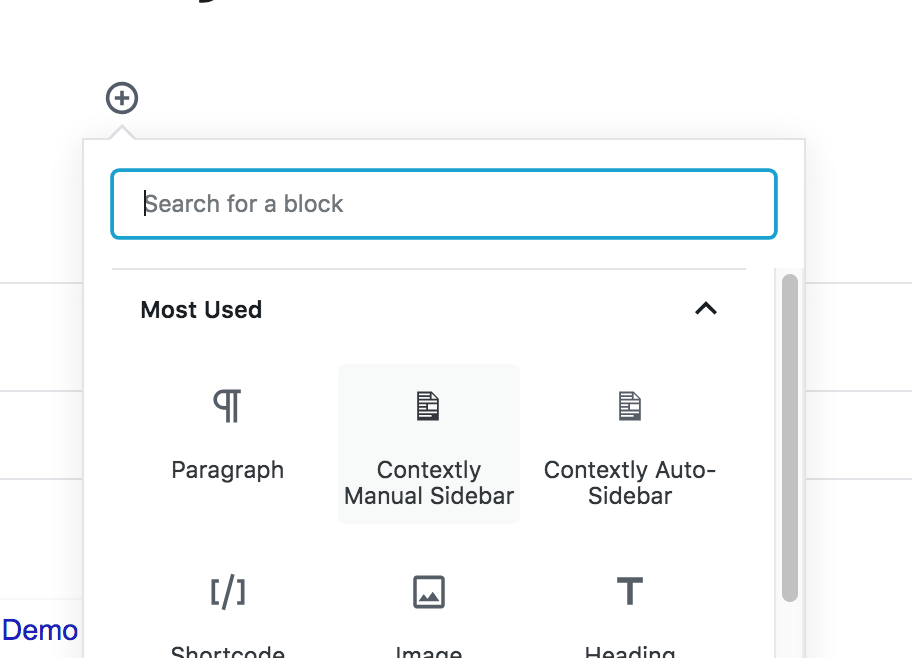
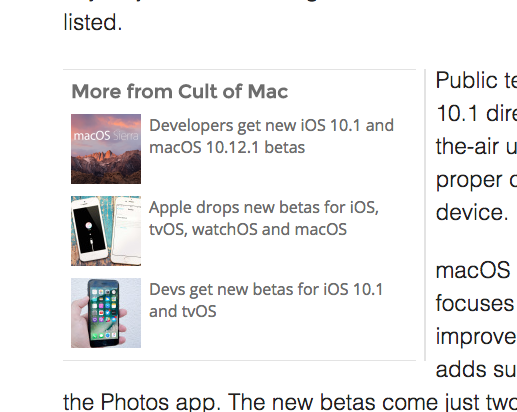
Speaking of, the new version includes a super-quick way for writers to add sidebars into the body of their stories. Look for the new S button in your Visual editor.

They look like this:

A Contextly Sidebar

We also shipped a new display option called Blocks. This gives you the option of showing larger images in a horizontal orientation, which we think readers will love. Turn this on inside the Contextly control panel and you’ll immediately have a different display.

Screen Shot 2013-03-01 at 12.50.41 PM

If you want to dip your toes, rather than plunging in, you can set up the new display type as an A/B test inside the Contextly control panel and see if readers like that display better. This is a perfect opportunity to explore the power of our A/B testing.

Finally, sites can also now set up internal promotional links. Note in the screenshot above there’s a block for subscribing to Wired.

So if you have a conference coming up or an e-mail list you think readers might like, you can now set one or more of the links in a section to point to that internal page. You can set your own image for it and change them out as often as you like.

If you aren’t yet using Contextly, but want to try it out, install the plugin or drop us a note at info@contextly.com. We’re still in an invite-only beta for a little while longer, and we’re very good to our beta customers.

Contextly Joins SXSW Interactive Accelerator Competition & Brawl

fightThe first rule about tech journalism startup fight club is that you must blog about it, so here it goes.

Contextly has been accepted into a fight to death with seven other news-centric startups as part of the SXSW Interactive Accelerator competition.

We’re super-excited for what we’re calling Death Match 2013. Three judges will decide the fates of the news candidates. John Cantarella, Vivian Schiller and Andrew Rasiej.

For those unfamiliar with the names, John Cantarella leads Time, Inc’s digital efforts; Vivian Schiller was the CEO of NPR and now is NBC’s chief digital strategist, while Andrew Rasiej co-founded Personal Democracy Media, which produces the Personal Democracy Forum and TechPresident.

In an interesting sidenote, the emcee is Tony Conrad of True Ventures, who sold his pioneering related links startup Sphere to AOL.

Each company gets two minutes on Monday March 11, then four survive until Tuesday, where they’ll each get 5 minutes to explain how they plan to save journalism (whether it wants or needs saving).

The winner will be crowned on Tuesday evening. I’m not sure what the prizes are or if there are any, though I’m pretty sure the winner gets some big bragging rights and a year’s free subscription to Techmeme.

I’m excited to meet the folks running the other startups:

Audio Tag - The company looks to be finding a way to connect the audio in ads with a listener’s smartphone so the ad can be interactive.

Guide - These folks are figuring out how to turn your favorite online news sites into television – with what looks like a robot newscaster.

InfoActive - Data is getting easier to collect, but finding ways to display it in beautiful, infographic form to readers is labor-intensive. These folks are looking to solve that problem for publishers.

Meograph – This application helps news sites and educators tell stories visually with YouTube embeds, Google Earth images and links to relevant stories.

Phone2Action – I’m not exactly sure what these folks do, but the gist seems to be they create a phone-based platform so companies and causes can educate and mobilize their followers. They get bonus points for correctly using the word “effect” as a verb in their web copy.

ShoutAbout - It’s easily to rile readers up, but when they finish a story that enrages or engages them, it’s not always clear what to do with that energy. ShoutAbout lets readers suggest to one another ways to learn more and ways to take action, via an embeddable plugin. And since it’s readers, not the site, suggesting action, new sites don’t look like advocacy organs (even if they really are).

ShoutAbout Screenshot

Watchup - This iPad app lets you quickly curate a set of online videos to make a morning newscast geared towards your interests.

We’re looking forward to sharing the stage and duking it out with these folks. The last three months since I left my editor job at Wired have been awesome and a learning experience, and we’ll have a bunch of exciting announcements in the coming weeks.

We hope to see you all there at SXSW.

And finally, I need to give big thanks to Jennifer 8. Lee of Plympton, who pushed me to enter. You have checked out Plympton’s serialized novel service, right?

P.S. If you run a publication or blog — from the New York Times to a local blog focused on new restaurants in your city, we can turn your publication’s readers into loyal readers (or even customers). Drop us a line at info@contextly.com or sign-up for the beta.

11 Lessons Learned Launching Contextly on My Final Day at Wired

launch button

What happens when you press this button? Credit: StevenDPolo/Flickr

Friday was my last day of work at Wired as a full-time writer and the editor of Threat Level. It was also the public launch of my editorial tools startup Contextly.

It turns out doing both *on the same day* is a potent combination, emotionally and logistically. I don’t recommend that anyone emulate it – unless, as in my case, it’s the best way to launch.

Contextly, whose current products help publishers increase page-views and time-on-site via related links and sidebars, got nice write-ups in TechCrunch, VentureBeat, The Next Web and Wired (yes, a little unfair there). I heard from a number of fantastic people via e-mail and Twitter, wishing me well. The launch led to a solid number of publishers signing up for our beta; headhunters calling; and in a fit of bad timing, unrelated to the publicity, I got a partnership inquiry I’d been hoping for for weeks.

That made for a crazy morning and day, trying to respond to all of them, while, at the same time, saying goodbye to colleagues and finishing out the day’s work, including editing articles that needed to be published that day.

Here’s what I learned (so far) from the day:

Continue reading

Introducing Contextly

Contextly Home PageToday marks both the public debut of Contextly and my departure from editing and reporting at Wired.

Ten years of writing and editing at Wired, covering everything from the NSA to Y Combinator, has taught me many things: that privacy and transparency matter, that journalism is hard and fascinating, and that, while the future of news and publishing is the Web, the tools for online journalism remain frustrating.

Writers must move faster than ever and are now often their own editors, photo desk and publicists — though the tools they use are too often kludgy and inadequate.

That’s why today is my last day as an editor at Wired; and why I’m leaving to run my start-up, Contextly, full time.

Readers crave context in news, even as a reporter’s job of putting the day’s story (and more often stories) into a larger picture is hard to do when speed is essential and the news cycle never stops. But writers – good ones — know that the day’s work is just part of a long-term story that they and their co-workers have been telling for years.

There is deep institutional knowledge stuck in writers’ heads — for instance, knowing that today’s story about Twitter competitor App.net has deep resonance in earlier, but still relevant, stories about the open-source challenge to Facebook, Diaspora. But that’s not something algorithms or tags are good at surfacing.

And what about the readers that come to your older posts via search – how will they know that you’ve written more recent pieces on related content?

In my early days at Wired, we tried to deal with this by hand-crafting related links using HTML and a text file that we’d copy and paste into our stories. That model was, to put it in kind terms, inefficient and non-dynamic.

From that frustration and others, came Contextly. We’ve built an editorial solution to this problem that marries editorial control with serendipity. Our related links widget has been running on a number of sites, including across all of Wired.com, in our stealth beta for months. We’re not at liberty to say how much we’ve increased page-views and time-on-site for Wired, but it’s been *interesting* and we’re very happy with our start.

Contextly Related Links

Related links chosen by a Wired Science writer that point readers to the best and most relevant earlier coverage of similar topics.

It’s an exciting time for online journalism, with a wide range of innovation, and there’s still so much that’s yet unexplored — even basic things.

For instance, adding links in the body of stories to previous work and to other sites around the web benefits readers. Links are what makes the Web a web and they even help with SEO. But adding links is a mind-numbing drudgery of tab switching, searching and cutting-and-pasting – even just to link to your site’s previous stories.

So Contextly comes with a tool that makes adding links of all stripes simpler and faster than ever.

We’ve also made analytics tools that produce reports are readable, designed for publishers and writers. We send out daily, weekly and monthly reports that sites love, and we’ve only just gotten started with building data tools that are designed for the needs of publishers and writers — not e-commerce sites.

There are other related links widgets out there, but none have been designed by a journalist for journalists. Contextly combines ease-of-use and dynamism and serendipity, while making sure that editorial control is not lost.

Contextly "You Might Like" Links

Algorithmically chosen links to other great content on Wired – for when readers are in the mood to explore widely, not deeply.

We’re also building tools that help companies with blogs to present to their readers non-annoying offers to join an e-mail list, buy a conference ticket or sign-up to join a beta or read a whitepaper.

With invaluable testing help from sites like Wired, BoingBoing, Cult of Mac and others, we’ve had a great stealthy beta, and we’re ready now to expand it by opening up our beta invite sign-up to the world.

We’re proud of what we’ve already built and hope that the tools are a solution to challenges that many sites are facing.

Those who self-host WordPress can install the plugin in minutes, simply by searching for “Contextly Related Links” in the Plugins section of WordPress. We don’t strain your database and are nimble on your site. Those on other platforms can drop us a note and we’ll talk with you about our API and how we can work with you to get Contextly working on your CMS.

That said, this is just a beginning. Our roapmap is long and exciting – filled with big data challenges, tools that make publications and writers’ workflows simpler, and tools that help sites learn about their readership and try things they’ve never done before.

We’re called Contextly because we believe context is everything and that current CMSes largely treat each new story or post as if it has no connection to what came before it. We have an expansive conception of what context means and believe new tools can make news better for readers, more fun to publish as journalists and more profitable for publishers, big and small.
.
Leaving Wired was a tough decision, especially now.

Wired has published some amazing work over the last year, including Mat Honan’s gripping story of his epic hack, Kim Zetter’s piece on the recruiting e-mail that unraveled a massive phishing hole, Wired Enterprise’s work that makes data centers and servers gripping to read about, Spencer Ackerman’s award-winning stories on the FBI’s anti-Muslim training courses, Wired Science’s outstanding coverage of the Mars Curiousity landing, and Playbook’s wickedly fun series on the physics of Olympics sports.

Time also recently named the section I edited at Wired, Threat Level, one of the top 25 blogs of 2012, thanks, in no small part, to work like David Kravets’ must-follow legal reporting and Quinn Norton’s deep dive into the world Anonymous.

It’s not easy walking away from such co-workers, and I’ve only been able to do so thanks to the support of Wired.com’s Editor in Chief Evan Hansen.

But I’m taking with me the commitment to storytelling and journalism that I learned at Wired. It lives at the heart of Contextly, which will support great sites around the Web, helping them get great content to readers who want it.

We’d love to have you join us on the adventure and work with us to build tools that make news and online publishing better.

Foursquare Gives Readers Way to Save Locations from Stories

Foursquare is offering publishers a button that lets readers “save” a location mentioned in a story — say a cool, new boutique or an interesting restaurant, and users can choose to have their phones remind them of it when they get nearby.

The idea of this is fantastic, and fits in with how Contextly thinks about media content. In short, this feature gives a story life outside of the content management system and gives it longstanding context in a reader’s life.

In fact, I’m not a FourSquare user, but if publications in the Bay Area started using these, I’m pretty sure I’d start.

“Save to Foursquare” buttons now appear alongside web content at New York magazine, Time Out, and a variety of other publishers, allowing users to send places they want to go to their phones and get alerted when they’re in the vicinity.Foursquare actually introduced a version of this feature last year, but it didn’t catch on. The company says the new “Save to Foursquare” technology is easier for publishers to implement. The new version also supports recently added features like Radar, which buzzes users’ phones when they’re near places they’ve saved.

via Foursquare Teams Up With NY Mag, Time Out, Other Publishers | paidContent.

Stickergiant/Flickr